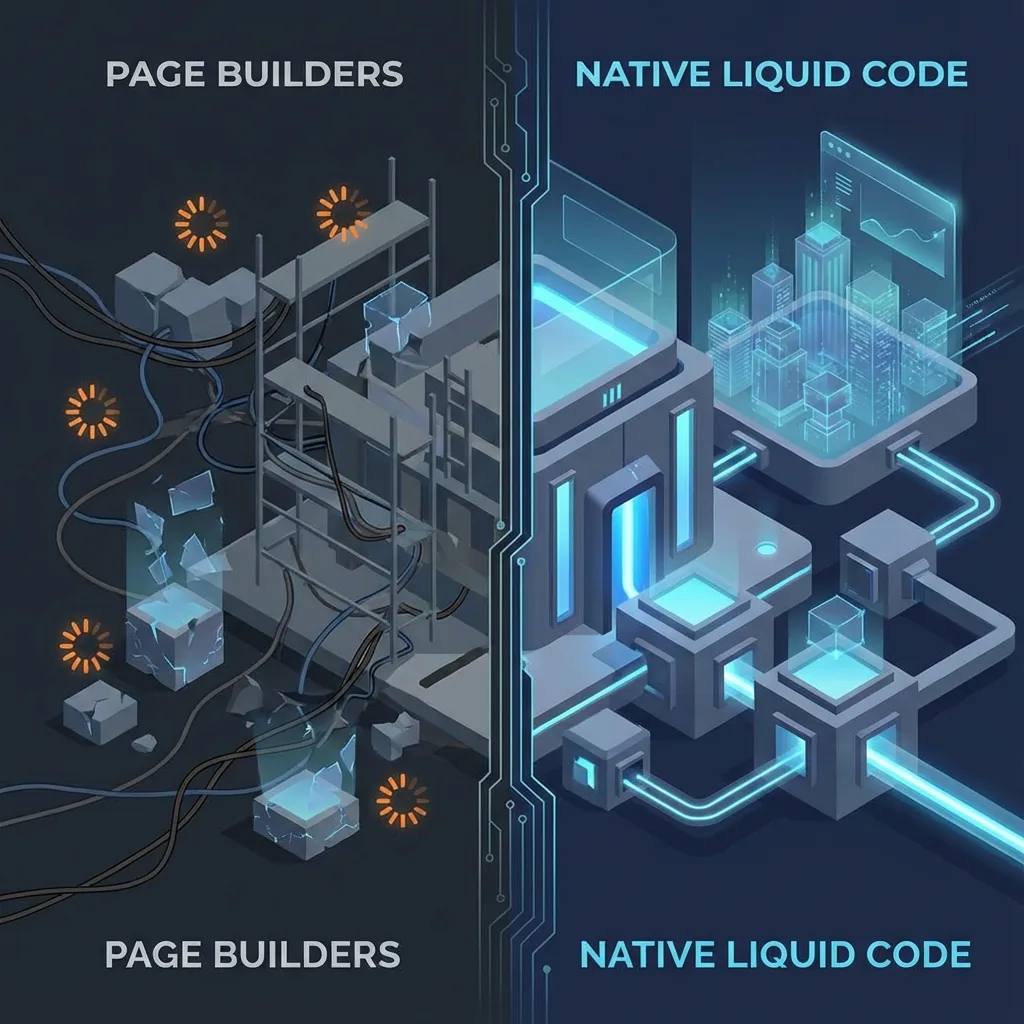
Why Page Builders (PageFly/GemPages) Are Destroying Your SEO
It starts innocently. You want a fancy landing page, but you don't know code. So you install a "Drag & Drop" Page Builder app. It looks great... until you check your Google Speed Score.
Apps like PageFly, GemPages, and Shogun are powerful tools, but they come with a massive hidden cost: **Spaghetti Code**.
The "Spaghetti Code" Problem
When you drag a simple text block onto a canvas in a page builder, the app doesn't just write a simple `<p>` tag. It often wraps it in 5-10 layers of `<div>` containers and attaches heavy JavaScript libraries to handle the "dragging" logic—even on the live site.
This results in:
- Huge DOM Size: Google penalizes pages with too many HTML elements.
- Unused JavaScript: Loading 5MB of scripts just to show a static image.
- Slow Parsing: Mobile phones struggle to process all that junk, causing high TBT (Total Blocking Time).
The SEO Impact
Fact: Google's Core Web Vitals update made speed a direct ranking factor.
If your landing page takes 4 seconds to load because of a page builder, your bounce rate skyrockets. High bounce rate + Slow speed = Google de-ranking your store.
Here is exactly what happens when Google crawls a page-builder page vs a native Liquid page:
- Crawl budget waste: Googlebot has a limited time per visit. If your page takes 4 seconds to render, it crawls fewer pages per session. Your new products and collections may not get indexed at all.
- Mobile-first indexing: Google indexes your mobile version. Mobile devices have less CPU and bandwidth. Page builder JavaScript hits mobile 3-5x harder than desktop.
- Cumulative Layout Shift (CLS): Page builders dynamically inject elements after the page loads, causing layout shifts that Google penalizes directly in Core Web Vitals.
Real-World Case Study: PageFly to Native Code
A skincare brand came to me with a homepage built entirely in PageFly. Here's what happened when I rebuilt it as native Shopify 2.0 sections:
| Metric | With PageFly | Native Liquid |
|---|---|---|
| Mobile PageSpeed Score | 22 | 94 |
| Largest Contentful Paint | 5.8s | 1.4s |
| Total Blocking Time | 1,850ms | 120ms |
| DOM Elements | 4,200+ | 680 |
| JavaScript Size | 1.2MB | 45KB |
| Monthly App Cost | $99/month | $0/month |
Result: After the migration, the brand's organic traffic increased by 35% over 8 weeks, and their mobile conversion rate improved by 18%. That's because shoppers on phones could actually interact with the page instead of staring at a loading spinner.
PageFly vs GemPages vs Shogun: Which Is Worst?
All page builders have the same fundamental problem, but the severity varies:
- PageFly: The most popular, but generates the most bloated code. A simple hero section can produce 15+ nested divs with inline styles. It also injects a heavy JavaScript runtime on every page—even pages that don't use PageFly.
- GemPages: Slightly cleaner output than PageFly, but still loads its own JavaScript library globally. The "live preview" editor encourages over-designing, which makes things worse.
- Shogun: The most enterprise-focused option. It generates relatively cleaner HTML, but the JavaScript payload is still significant. Their "page headless" approach helps, but you're still locked into their ecosystem.
The bottom line: none of them can match the performance of native Liquid code. The best page builder output is still 3-5x heavier than hand-written Shopify sections.
The Solution: Shopify 2.0 "Sections Everywhere"
Since the release of Shopify Online Store 2.0 (OS 2.0), you do not need page builders to have drag-and-drop functionality.
As a developer, I build Custom Liquid Sections. These are:
- Native: They live inside your theme (Dawn, Prestige, etc.).
- Fast: 0kb of extra library code. Just pure HTML/CSS.
- Drag-and-Drop: You can edit text, images, and layout in the Shopify Customizer exactly like a page builder.
- Schema-driven: Every setting (colors, fonts, spacing, content) is configurable by non-developers through Shopify's native Theme Customizer.
The Migration Process: Step by Step
If you're currently using a page builder and want to switch to native sections, here's my exact migration process:
- Audit existing pages: I catalog every page built with the page builder—what it does, what elements it uses, and which ones are high-traffic.
- Design preservation: I screenshot and document the current design. The goal is to make the native version visually identical.
- Section development: I rebuild each unique page layout as a Shopify 2.0 section with full schema settings. This is where the magic happens—clean semantic HTML, minimal CSS, zero JavaScript unless absolutely necessary.
- Content migration: I transfer all text, images, and settings from the builder pages to the new native sections.
- Page builder removal: I uninstall the app and manually clean up any leftover JavaScript snippets it injected into your theme. (Most page builders leave behind ghost code even after uninstallation. See my app conflicts guide for more on this.)
- Performance verification: I run before/after PageSpeed tests to document the improvement.
Comparison: Builder vs. Code
| Feature | Page Builder App | Custom Liquid Sections |
|---|---|---|
| Performance Score | 20-40 (Mobile) | 90-100 (Mobile) |
| Monthly Cost | $29 - $99 / month | $0 / month |
| Code Quality | Bloated, Messy | Clean, Semantic |
| Theme Customizer Editing | Separate app editor | Native Shopify editor |
| Leftover Code After Uninstall | Yes, ghost scripts remain | No, it's your theme code |
Frequently Asked Questions
Will I lose my page designs when I remove the page builder?
Not if you migrate properly. I rebuild every page as a native section first, test it thoroughly, and only then remove the page builder app. The transition is seamless—your customers won't notice anything except a faster site.
Can't I just optimize the page builder instead of removing it?
You can try, but you're fighting against the tool's architecture. Reducing sections, compressing images, and minimizing elements helps marginally. But the fundamental problem—the JavaScript runtime and DOM bloat—cannot be fixed without removing the builder entirely.
How long does the migration take?
For a typical store with 5-10 custom pages, the migration takes 1-2 weeks. Complex stores with 20+ custom landing pages may take 3-4 weeks. I prioritize high-traffic pages first so you see performance gains immediately.
What about PageFly's "SEO mode"?
Some page builders offer an "SEO optimization" toggle. In my testing, these modes reduce JavaScript by 10-15% at best. Compare that to native code which eliminates 95%+ of the builder JavaScript. It's a marketing feature, not a real solution.
How I Can Help
If you feel "trapped" by your page builder because you can't code, I can help you migrate.
I will take your existing high-converting landing page designs and re-code them as native Shopify 2.0 sections.
You keep the design. You keep the drag-and-drop editing. You lose the monthly fees and the slow load times.
Ready to ditch the Page Builder bloat?
Let's rebuild your landing pages for maximum speed.
Get a Quote for Migration